
Quick Review : Hybrid armor case for MotoG

What were my needs:
- 2 material case (hard plastic and rubber)
- the screen being protected when in bag
- less than 20€
So i bought this for 5$
i won't use the belt clip or the kickstand features, so they won't be much reviewed here, refer to the seller description (that is pretty good)
Device 'in case' in Numbers:
w/o cover : 133*70*17mm for 180g
w/ cover (but no clip) : 135*75*18mm for 200g
nude device : 143g
Device 'in case' in Numbers:
w/o cover : 133*70*17mm for 180g
w/ cover (but no clip) : 135*75*18mm for 200g
nude device : 143g
What's in the box ? (device sold separately ofc)
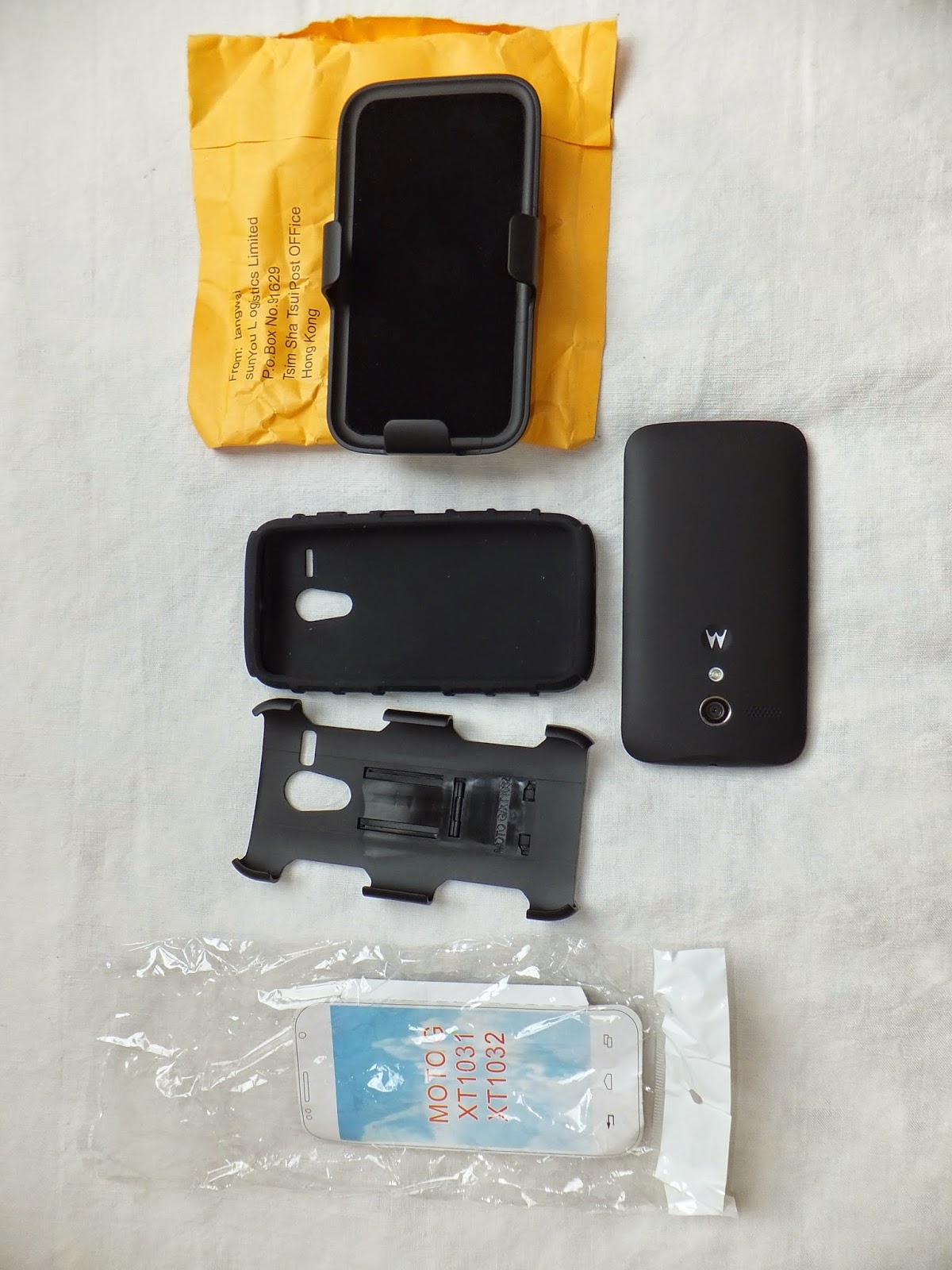
<== face up

Face down ==>
The case fits perfectly to the device :


Features (useful ones ... or not : depends on you needs) :
The belt clip & the kickstand
The belt clip can be rotated by 180°, and can be use as a kickstand thanks to a small piece


buttons and holes :


in hand : (you can see the embedded kickstand in the middle)


Pros:
- Fits perfectly the device (which is linked to first 'con')
- The power and vol up/down buttons are well protected and still can be easily accessed
- Looks like it will correctly protect the device from falls
- Cheap (5$), but with a good quality feeling
- Belt clip that is well made and modular (quite easy to remove)
- The 2 microphones holes and the 3.5 hole are correctly placed and well sized
- Good grip in hand
Cons:
- The Case is quite difficult to place on the device and need some time to do it properly ! (make sure the vol up/down and power buttons are well placed before clipsing the hard plastic piece.
- The case with the cover/belt clip is far too thick for me, since i only wanted to keep that cover to protect the screen i removed the belt clip.
- The device feels really heavy and bulky (but that also gives the 'good quality' feeling).
- Case embedded kickstand isn't really working (not centered enough to be stable).
- Cover Belt clip can be used as a kickstand too, but i don't see the use ...
- Dust sticks a lot on the rubber piece.
- the hole for µUSB port is a little too small for Motorola's original cable or my Sony, but i'll try to find a cable with a smaller male port. It doesn't matter that much : that's rubber : it just needs to be forced a little to plug and it will get it's place back after charging complete
- There is a very little flaw in the rubber piece :

Modifications:


- Removed belt clip from the case cover to reduce thickness, and added an old bios sticker that i had under the hand :

- Finnally, i didn't kept that 'bios' sticker and put a glow-in-the-dark plastic piece instead:
If you want to find it, it is available under different names on ebay :
- Hybrid Kickstand Armor Impact Hard Holster Case Cover
- Future Armor Belt Clip Holster Kickstand Combo Case
- black rugged rubber tank case cover stand belt clip holster
- Hybrid Advanced Car Armor Case with Kickstand
[...]
- and many more ... '-_-

No comments:
Post a Comment